Explainers
Music8 Console
Console is the shared account and management area for Music8, used across the whole network.
Different people see different tools, according to the type of account they hold and what they are permitted to manage.
Who uses Console
- Individual users
- Manage your own professional presence and the Music8 services you hold, as accounts open to you.
- Organisations and partners
- Manage the organisational information and content you are permitted to look after, with more than one person able to help where that is set up.
- Read-only users
- Explore the system and see how records are held, without being able to change anything.
- Music8 staff
- Editorial, publishing and administrative workflows for the team running the platforms.
Rolling outSome account types and features are being introduced in stages. Where a tool is not yet open to you, the Music8 team can carry out the work in the meantime.
Why one shared Console
Music8 runs several specialist platforms. Keeping one account area across them means your information is held once, kept current in one place, and used where it belongs.
- One login
- The same account works across the Music8 network, instead of a separate login for each platform.
- One record
- Update information once and it can be reflected wherever it is used, rather than being maintained in several places.
- Clear permissions
- It is always visible who is acting, for whom, and with what level of access.
- Room to grow
- New tools appear in Console as they are ready, without you needing a new account.
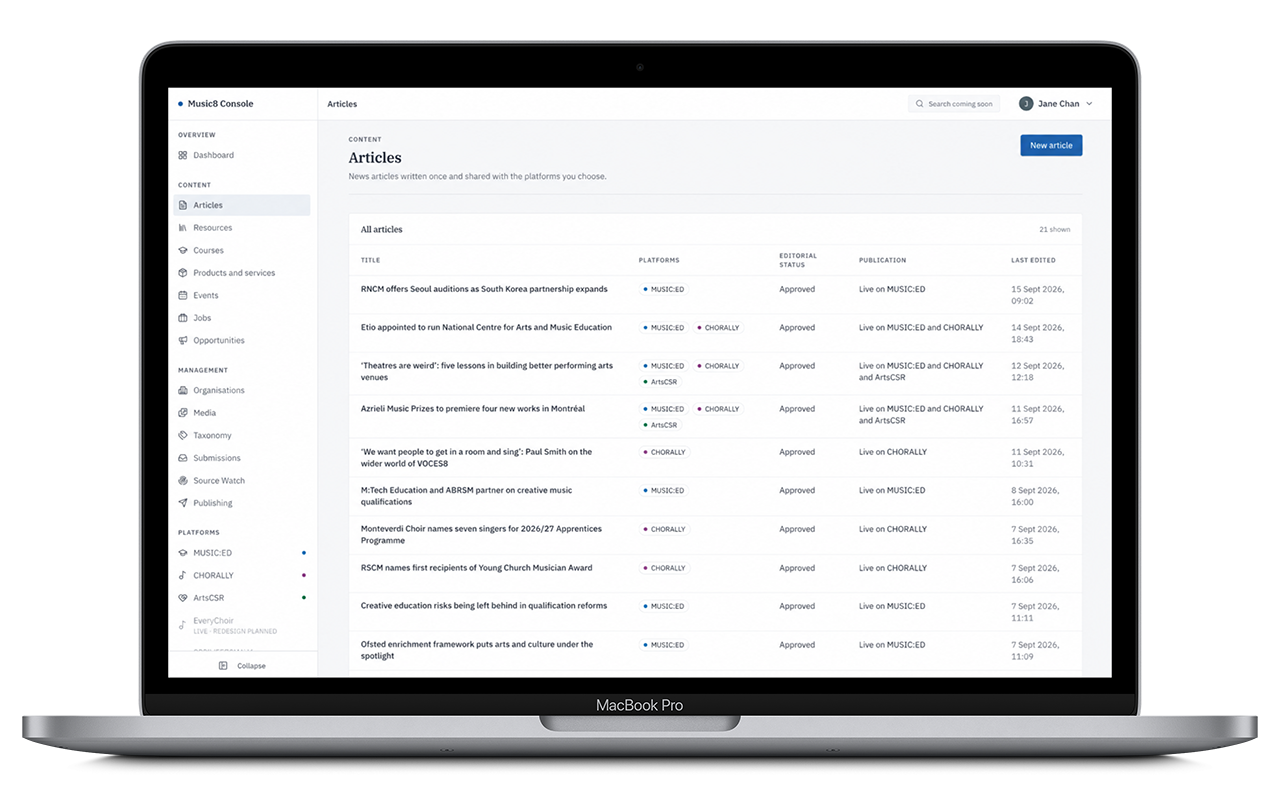
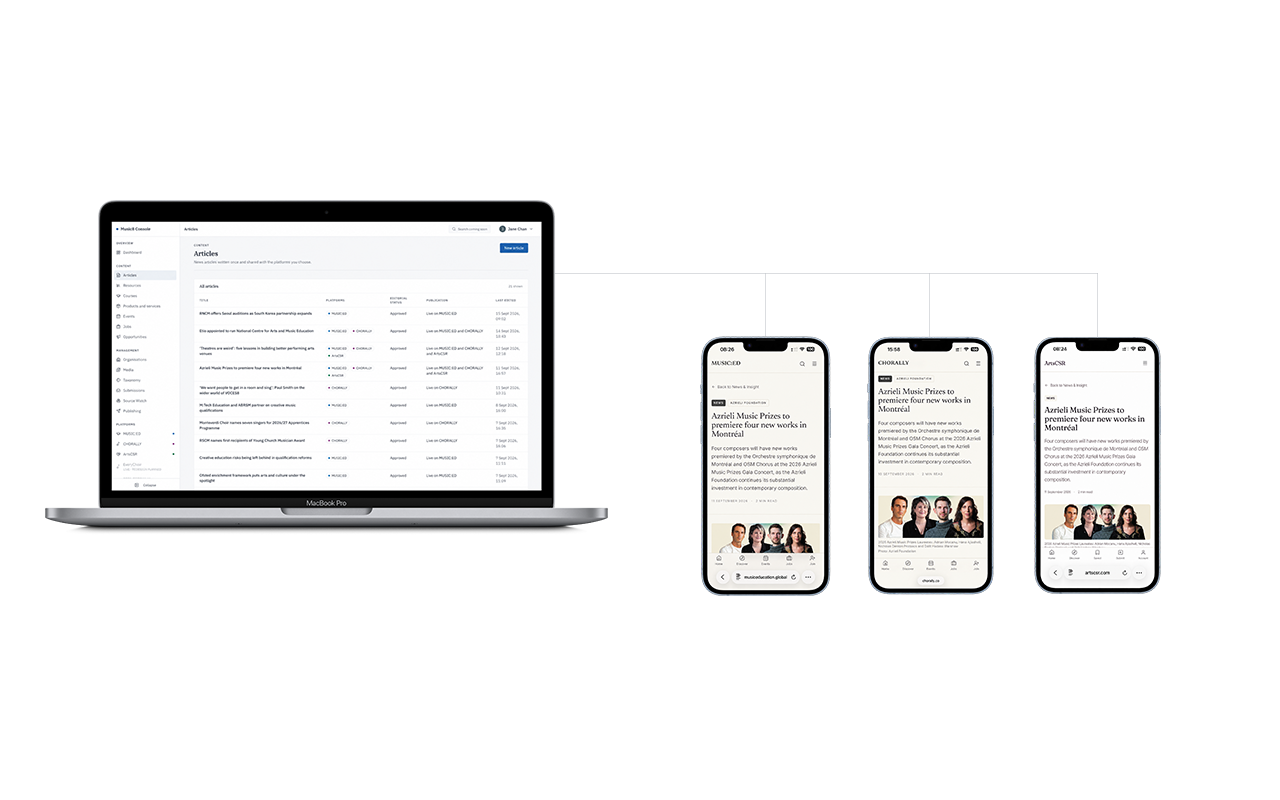
Console is the shared publishing and management layer. Content is placed on relevant platforms through agreed workflows and editorial checks, not automatically synchronised everywhere. Available tools depend on your permissions.
Access and publishing
Being able to manage a record is not the same as being able to publish editorially. Publishing controls stay with Music8.
Access is permission-based, and every action is attributed to the person who took it.
Common questions
Is Console available now?
Console is live and in active use. Account types and tools are being opened in stages, so not everyone will see everything yet.
Do I need to represent an organisation?
No. Individuals use Console for their own professional presence, with no organisation involved.
Can more than one person manage an organisation?
Yes, where the organisation has set that up. Roles and permissions decide what each person can do.
How Music8 accounts workDoes Console cost anything?
The account itself does not. Some tools inside Console belong to paid Pro products or Partner relationships.
Pro, Partner and sponsorship